Blog
Google Maps Ranking for Liverpool Trades: The 2026 Checklist
Why you’re not showing up in the Maps “3-pack” Before diving into the checklist, it’s vital to understand the playing field. Google states that local...
Brian6 min read
That 'Community Standards' Message is a Scam: A Guide for Liverpool Businesses It’s the notification every business owner dreads. A direct mess...
It’s the notification every business owner dreads. A direct message from ‘Meta’ claiming your Facebook page has violated Community Standards and will be deleted. It’s a message on Facebook, and it looks alarmingly official. Your heart sinks as you read it:
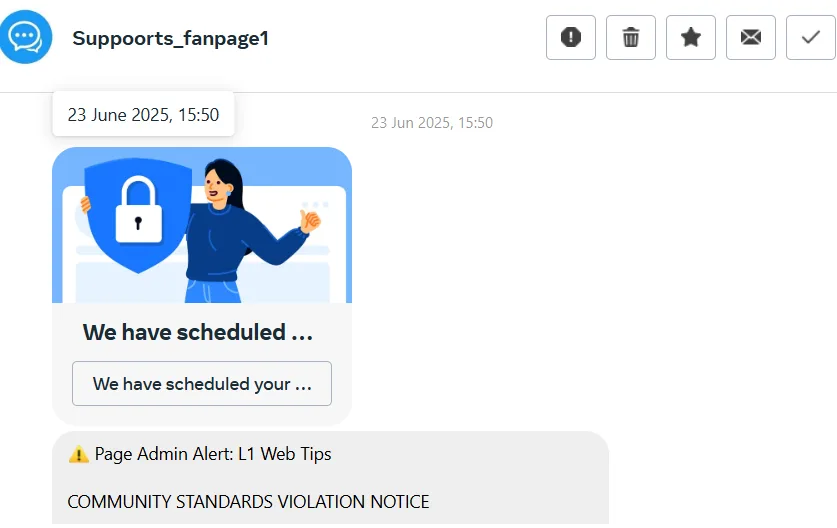
Page Admin Alert: [Your Business Name]
COMMUNITY STANDARDS VIOLATION NOTICE
We’ve received reports that your page may be using content… that potentially infringes on copyright… To prevent restrictions or permanent removal, we require that you verify your account activity within the next 24 hours… If no action is taken… the system may… permanently disable your account.
Panic sets in. Your Facebook page is a vital part of your business,it’s your connection to your customers, your portfolio, your marketing engine. The thought of it being deleted, along with years of content and reviews, is terrifying. Your first instinct is to click the link and fix the problem immediately.
This message is a sophisticated and increasingly common phishing scam designed to do one thing: exploit your panic to steal your login details, hijack your Facebook page, and gain access to your Ad Account and payment information.
At l1webtips.com, we’re seeing more and more Liverpool business owners targeted by these attacks. This guide will show you exactly how to spot the scam, how to handle it, and what to do if you’ve already clicked.
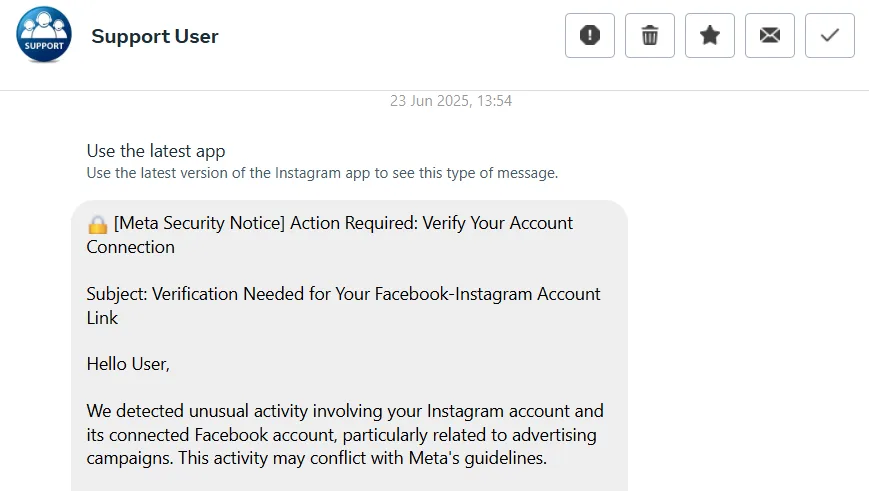
These scammers are clever. They use Meta’s logos, mimic their official language, and even tag your page from accounts with names like “Page Support” or “Policy Centre” to appear legitimate. But if you look closely, the warning signs are always there. Let’s break down the example message.
1. The Overwhelming Sense of Urgency
“within the next 24 hours” “If no action is taken… permanently disable your account.”
This is a classic psychological tactic. Scammers create a sense of panic to make you act before you think. They know that as a busy business owner, you don’t have time for this kind of disruption, and your fear of losing your page will make you more likely to click a link without scrutinising it. Meta understands that running a busisess is complex; they will give you ample time (usually days or weeks) to appeal a genuine violation. They will almost never threaten immediate, permanent deletion with a 24-hour countdown via an unofficial message.
2. The Suspicious Link
“https://on.page-policy-helps-ig.com”
This is the single biggest giveaway. At first glance, it looks plausible,it has words like “page,” “policy,” and “helps.” But it is not an official Meta domain. Scammers buy cheap domains that look vaguely official, hoping you won’t notice the difference. The goal of this link is to take you to a fake login page they built, designed to be a perfect pixel-for-pixel copy of the real Facebook login screen. When you enter your details, you aren’t logging in; you are sending your username and password directly to them.
A legitimate link from Meta will always be a subdomain of one of their official sites, such as facebook.com, meta.com, or instagram.com. For example, a real link might look like business.facebook.com/support or www.facebook.com/help. The link in the scam message is a completely different, unrelated website.
Pro-Tip: On a computer, you can hover your mouse over a link (without clicking!) to see the true destination URL in the bottom corner of your browser. On a phone, long-press the link to see a preview of the URL. If it’s not facebook.com or meta.com, it’s a scam.
3. The Unofficial Communication Channel Meta will not notify you of a major violation via a random message in your inbox or a tag in a post. Think of it like your bank,they won’t text you sensitive information. Instead, official communications about your page’s status will always be found within your Meta Business Suite, typically under the ‘Page Quality’ or ‘Support Inbox’ sections. Think of it like your bank,they won’t text you your account balance; they’ll ask you to log in to their secure app.
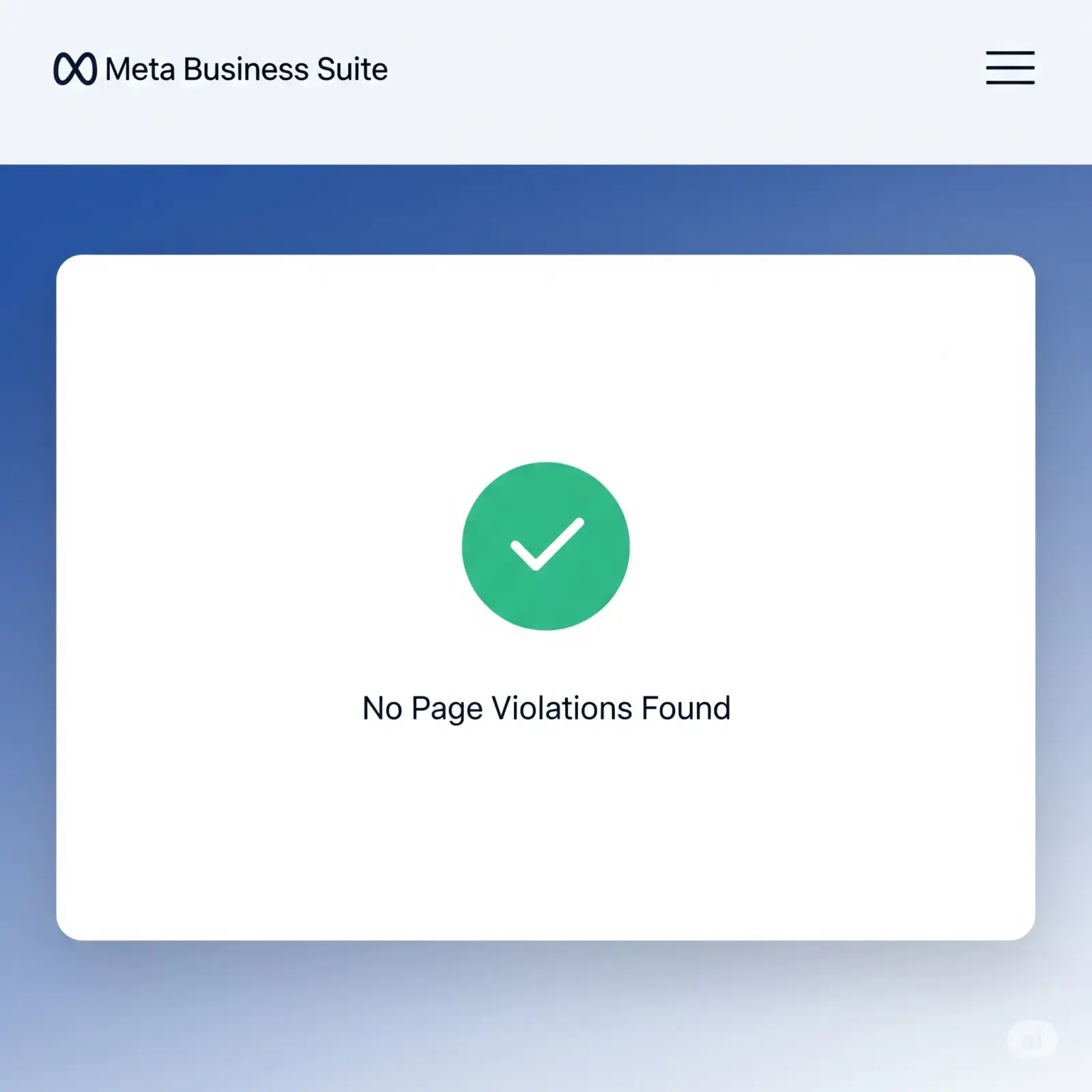
If you receive a message like this, follow these steps every single time.
If you’re reading this after clicking the link and entering your details, don’t panic, but act fast. Every second counts.
The digital world can feel like a dangerous place, but you are in control. By learning to spot these threats and taking simple, proactive steps like using a strong password and two-factor authentication, you can protect your valuable online assets. A strong password and two-factor authentication are your best defence.
If you’re concerned about your website’s security or your overall digital presence, our Free Business Audit is a great place to start. We can help you identify vulnerabilities and build a stronger, more secure foundation for your business.
Get help
We help Liverpool businesses with web design, SEO, and content. Honest work, fixed prices.
More articles
Why you’re not showing up in the Maps “3-pack” Before diving into the checklist, it’s vital to understand the playing field. Google states that local...
Unlock the power of basic website analytics with easy-to-use tools that help you understand your visitors, boost engagement, and make smarter decisions to...
Hey Liverpool business owners! From the electric atmosphere at Anfield to the excitement of the Grand National, our city pulses with events that draw milli...